CONSOL

A free simulator of the console an operator uses to keep track of a team of autonomous drones on wildfire, search-and-rescue and survey missions.

Launch the simulator

Runs in the browser on a tablet, laptop or desktop.

This needs a bigger screen than a phone. Try it on a tablet, laptop or desktop.
What it's for

Drones are getting better at flying themselves, so one person on the ground can look after several of them at once. The hardest part is when one of them loses its link.

This is where you can practice those moments. When a drone's link drops, the console shows where it could be, what it will do on its own, and what you can still do about it.

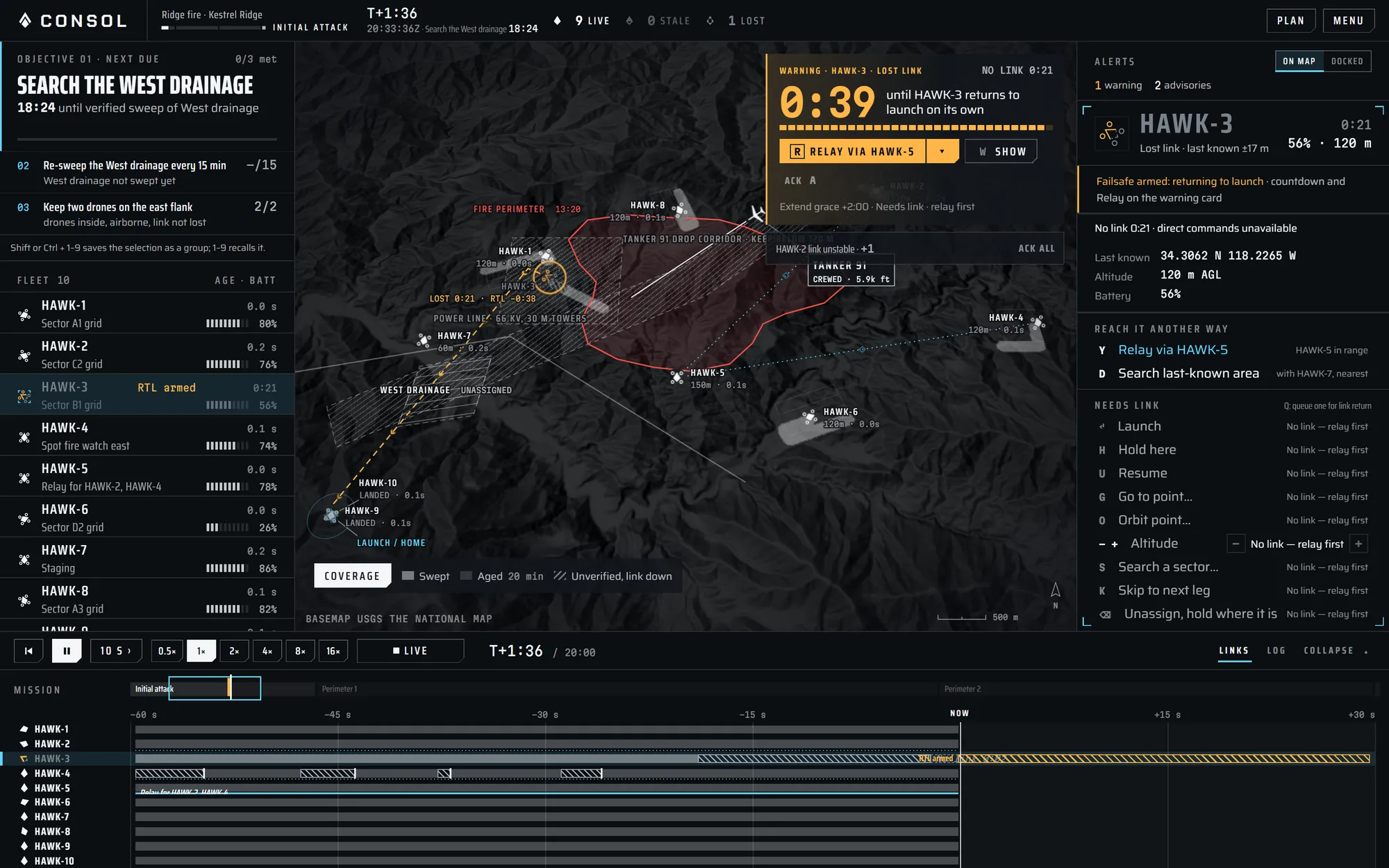
The console on Kestrel Ridge, showing the fleet list, the map with HAWK-3's lost link, its warning card counting down, and a timeline lane for each drone.

Kestrel Ridge, 1:36 in. HAWK-3 has lost its link behind the ridge, and the warning card counts down to it flying home on its own.

Missions and drills

Each mission is based on a real-world scenario, with its own problems scripted in. You can join the one that's already running, or pick your own. Drills are shorter and focus on one problem at a time.

Missions
8A ridge fire, a lost hiker, a missing paddleboarder, a burn-scar survey, a line patrol, a stock check, a climbing accident and a bighorn census.
Drills
8Link loss, relay handover, battery failure, splitting a search, spare onboarding, detection triage, re-sweep rhythm and crewed traffic.

Every session you end is kept as a replay you can step through afterwards.

A mission is always under way

Join the current one mid-shift, or start any mission or drill from T+0. It runs in the browser with nothing to install.

This needs a bigger screen than a phone. Try it on a tablet, laptop or desktop.